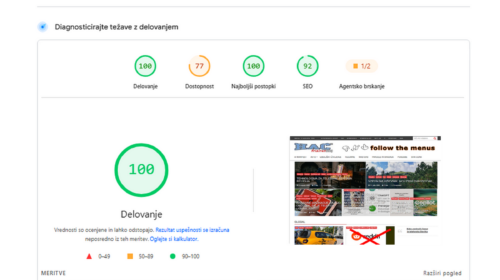


How I Got an Old WordPress Running on Modern PHP — And Made It Faster Than New Versions
When I started rebuilding my site, I didn’t begin with the latest WordPress release, a shiny new theme, or a fresh list of “expert-recommended” plugins. The new versions are too heavy and does not provide protection against large companies. Yes you hear wright, Large Companies.
My starting point was much simpler: an old WordPress version 6.0.1, an old cool news theme (SuperNews), and a server already running modern PHP 8.3 to bulid The fastest blog website in the World.
It wasn’t ideal. It wasn’t recommended. It wasn’t “best practice”.
But it was mine — and I wanted to see whether I could turn it into something fast, stable, safe from intruders and stalkersa and genuinely usable.
Why I Even Tried This
I had three very simple goals:
- a faster site, without waiting
- stability, without hidden background processes
- less dependency on plugins that decide what happens behind the scenes
And because I already understood how WordPress behaves under the hood, I decided to try something most people wouldn’t: run an old WordPress version on modern PHP and optimize it manually.
What Happens When You Run Old WordPress on Modern PHP
Surprisingly little breaks.
Sure — some functions needed adjustments, a few files needed cleaning, and some scripts had to go.
But the WordPress core is more robust than most people think.
The real issues weren’t compatibility. The real issues were the things WordPress does in the background: